
Conducted a survey? Automate your…

PowerPoint reports

Choose one of our report templates or let us implement your standard report. Add your data to the platform and your report is ready to download in next to no time.
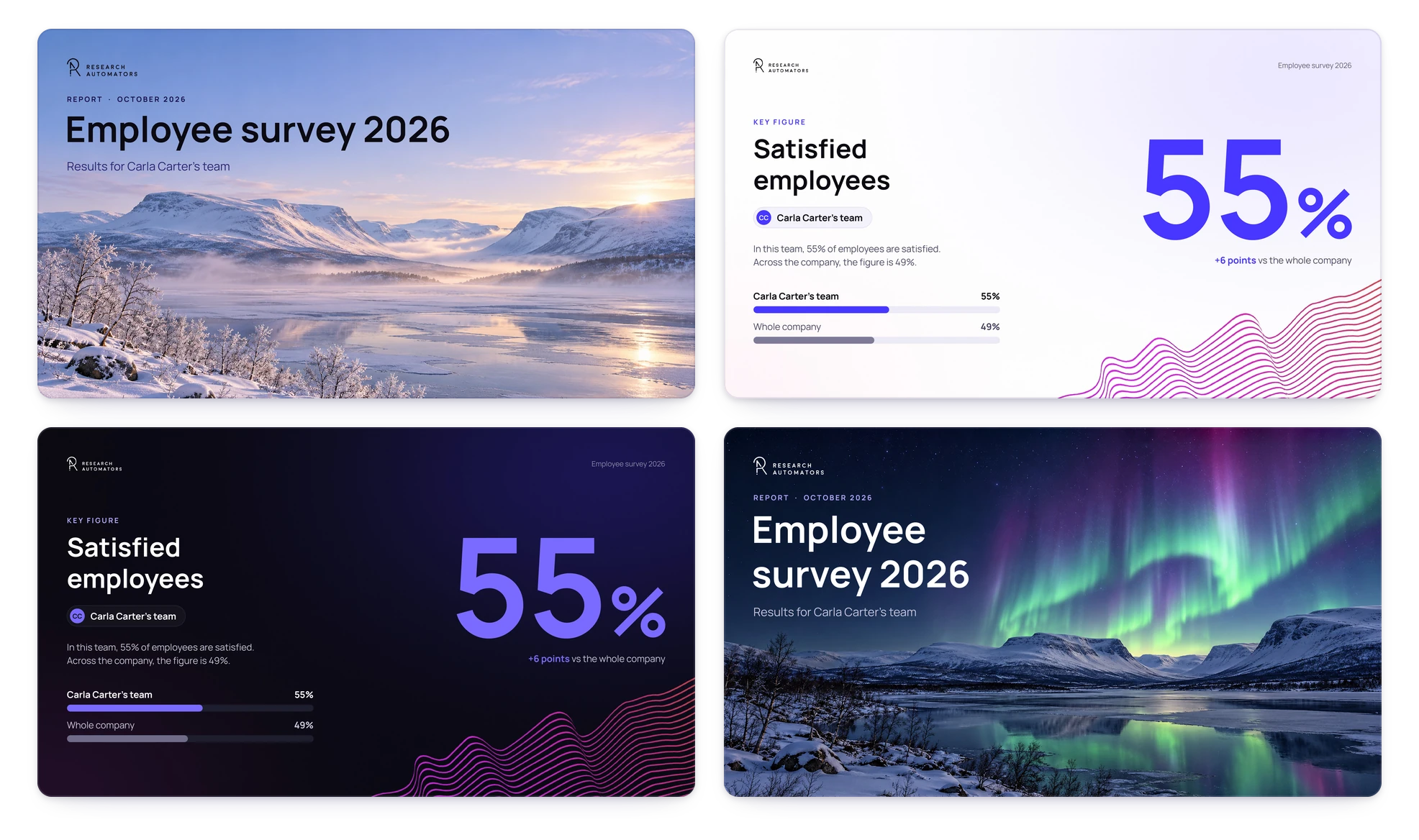
Report slides in different custom templates

Stop cutting and pasting

Automated PowerPoint reports. Faster delivery, no errors.

Don't reinvent the wheel

No need to build reports page by page for every study – it's truly automated.
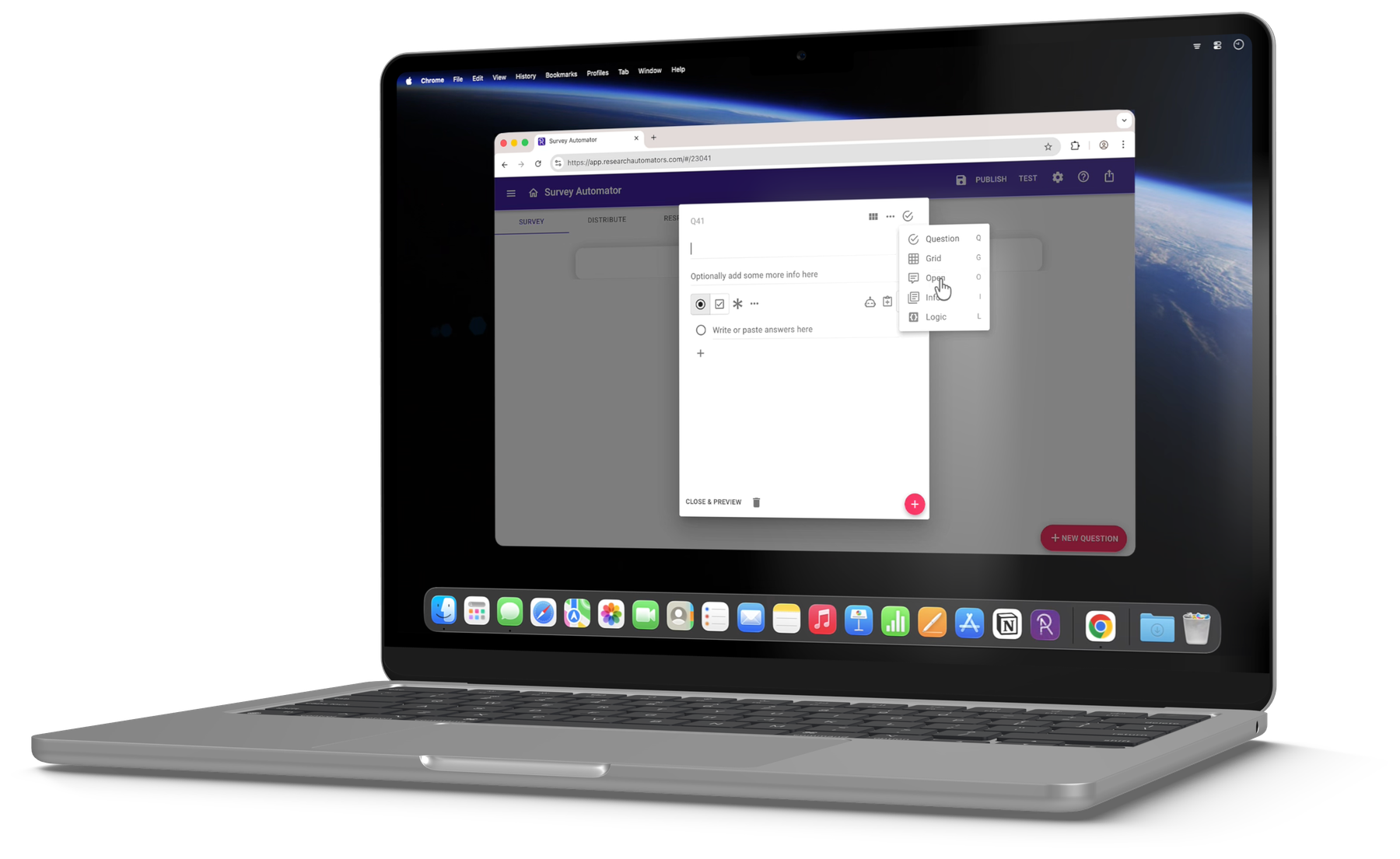
Survey Automator open on a laptop

Does this sound familiar?

Reporting shouldn't take longer than fieldwork

  • You want to make it easier to analyse survey data.
  • Manually creating charts is not how you want to spend your time.
  • You need PowerPoint reports shortly after fieldwork ends.
  • You've tried other reporting tools, but building reports slide by slide still takes far too long.

Our offering is unique: from day one, we help you create a dynamic report template that works across all your surveys – no repetitive setup for each new project.
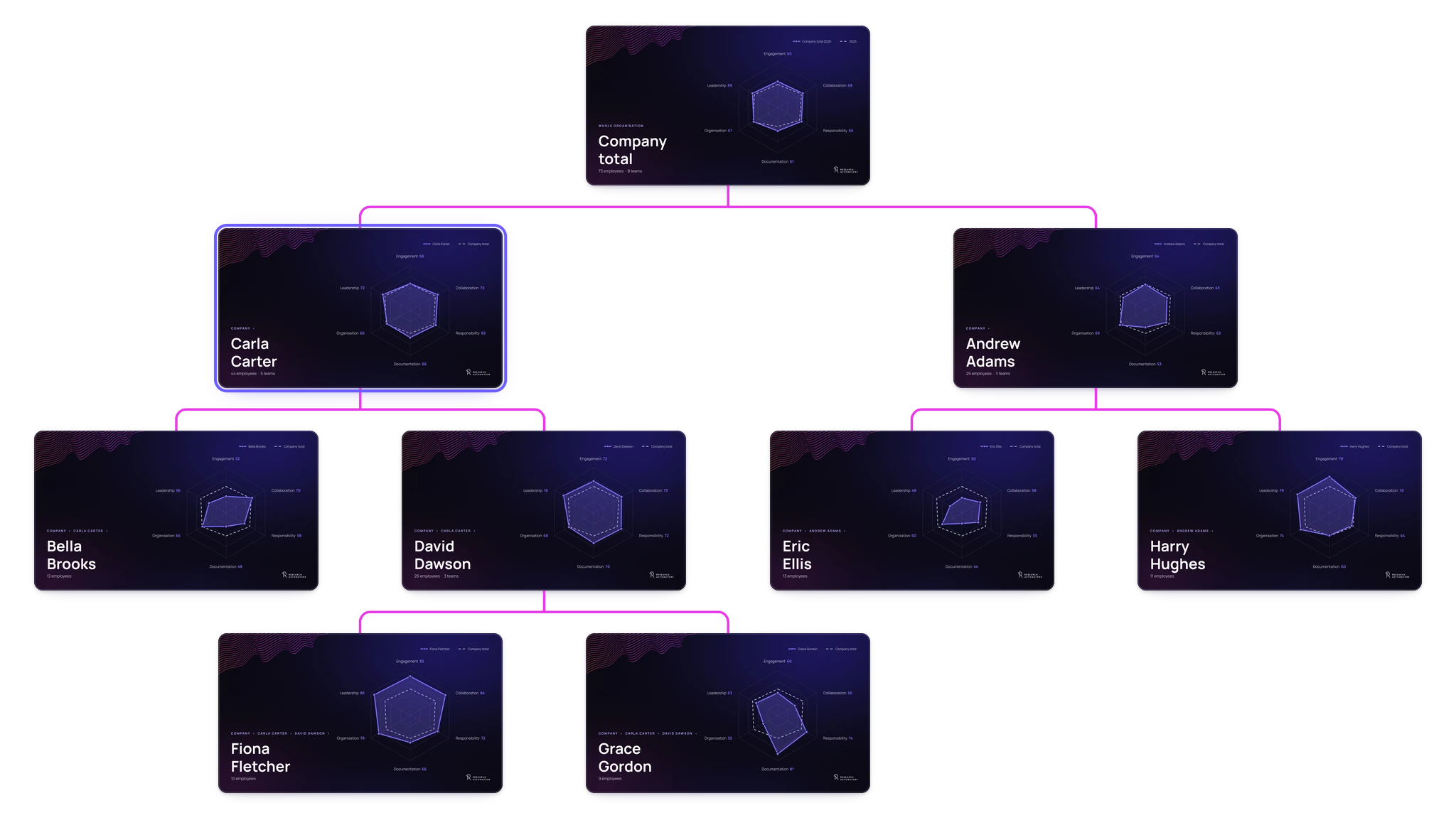
Report tree following an organisational hierarchy

Many reports or just one?

One deck or hundreds – same setup

Whether you need many similar slide decks – one per organisation, country, department or manager – or a single report packed with charts, the platform does the job.

See examples → · All chart types →

Import data from SPSS

From .sav file to finished report

Not running your survey in our platform? Just import data from an SPSS (.sav) file. Watch the video to see the process from import to report.

Example templates

Reports that work for any survey

Our reports work regardless of your survey questions. Here are some examples.
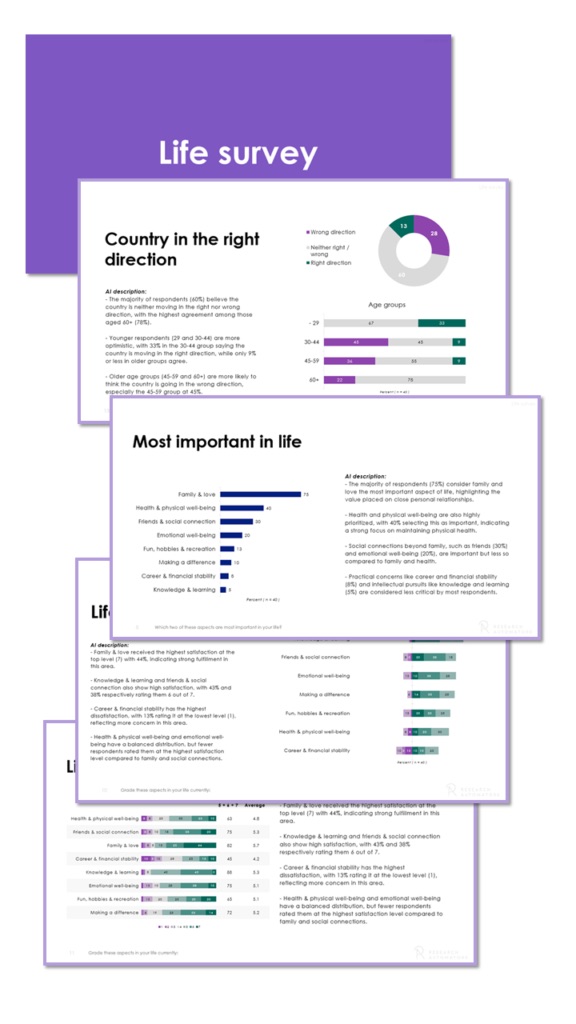
AI descriptions report template

Survey report

AI descriptions

A PowerPoint template for analysts who want to add insights to each chart.
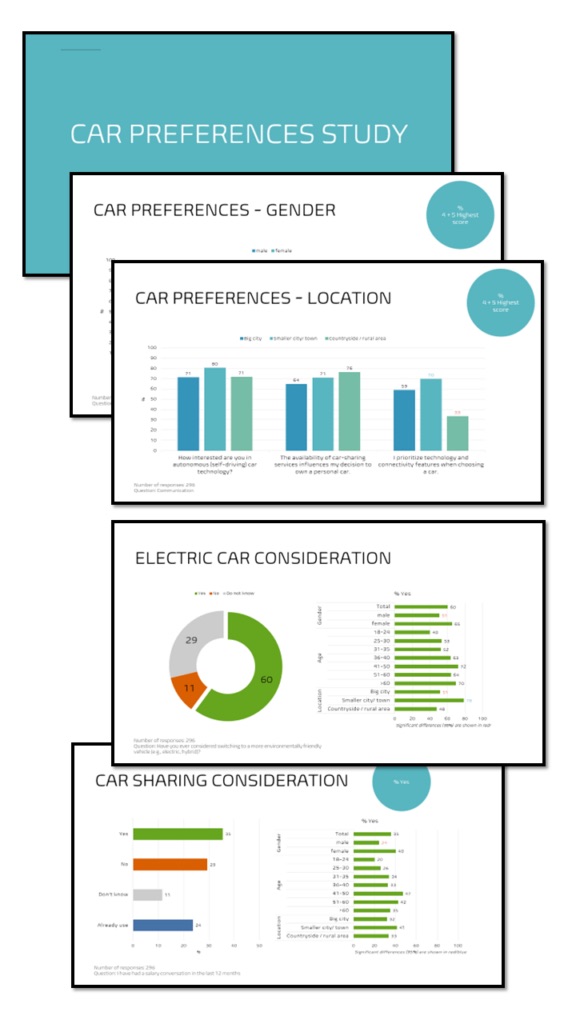
  • Dedicated space for commentary and interpretation.
  • Draft texts pre-filled by AI, based on your chart data.
  • Analysts can edit, expand or rewrite the AI suggestions freely.
Segment comparisons report template

Market research report

Segment comparisons

Makes it effortless to spot similarities and differences across subgroups.
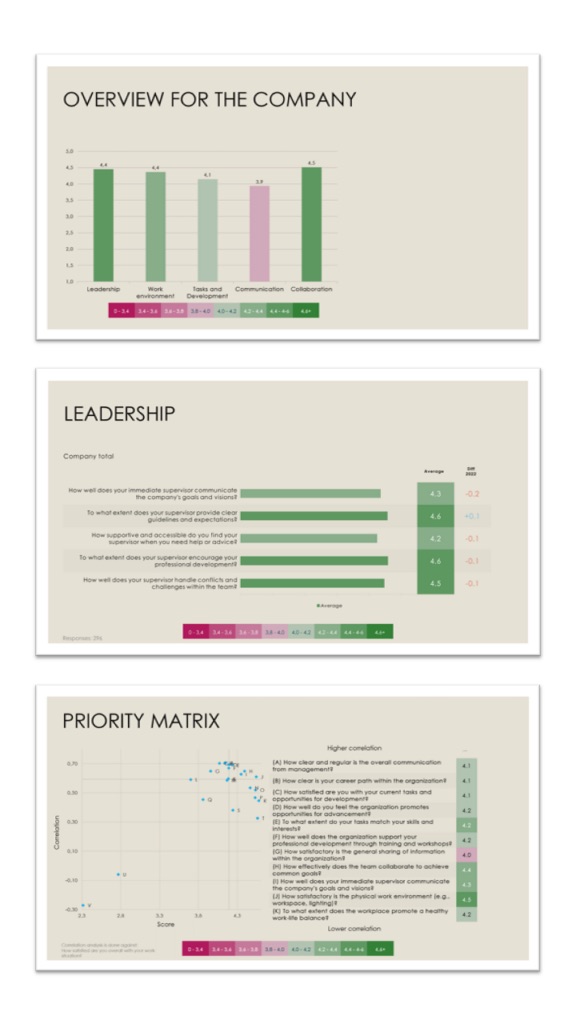
  • The “Top 2 Box” metric describes positive attitudes among respondents.
  • Segments with significantly higher or lower values are highlighted.
Coloured averages report template

Employee survey report

Coloured averages

Compare scores at a glance – chart and table colours are based on the averages.
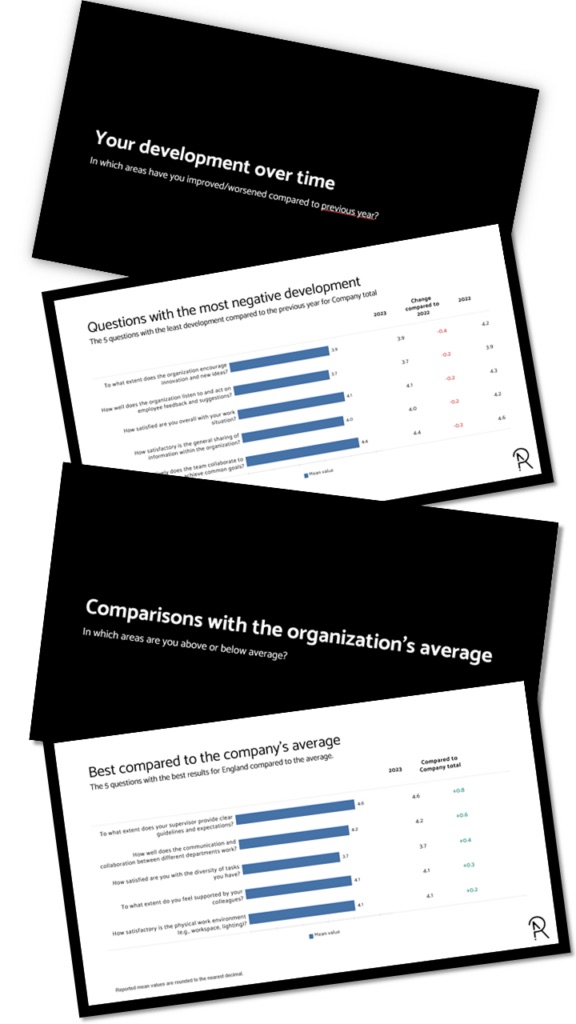
  • Darker green means a higher average, red a lower one.
  • Changes since the previous study are shown as deltas: negative in red, positive in green.
Q&A report report template

Employee survey report

Q&A report

A teaching-style report where each section answers a question, like “Where did we improve since the last study?”
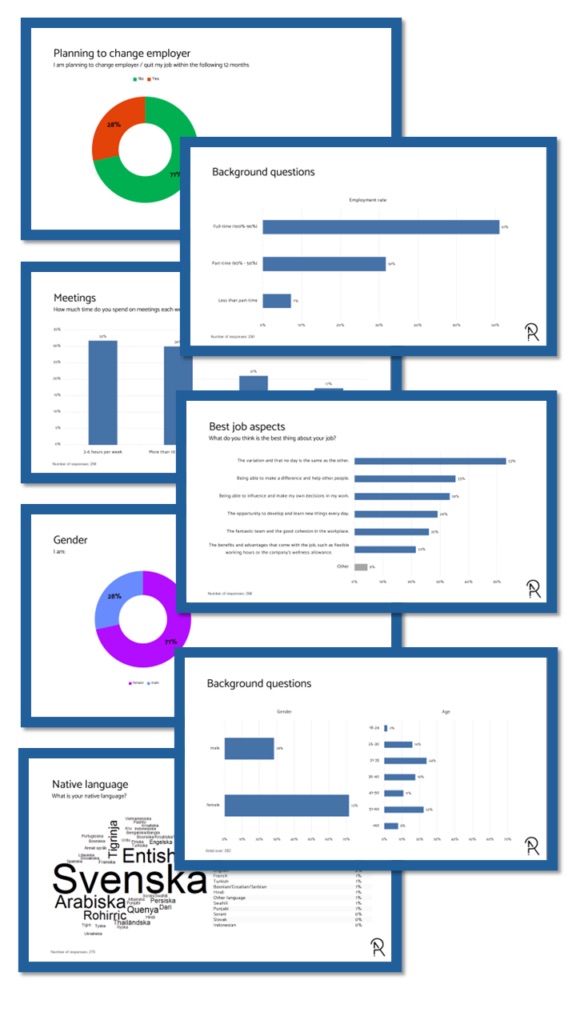
  • Pinpoint areas with the greatest discrepancy between groups.
  • Back it up with ranking lists of the strongest departments.
  • Inspire with the biggest positive changes since the last measurement.
Percentages report report template

Basic survey report

Percentages report

Shows the percentage distribution of every survey question.

  • Pie, column and bar charts and answer clouds, chosen by visualisation best practice.
  • Open ends / verbatims are included.
The same report in different colour themes

Your colour theme

Every report in your corporate design

As part of onboarding, we implement your PowerPoint theme – so every report you download from the platform matches your brand.

Custom reports

Automate your own report

  • Can't find a template you like?
  • Want to pick and choose from several templates?
  • Want us to replicate your current reports?

Excel tables

Cross-tabs

  • Coloured significant values – clearer subgroup differences.
  • Percentages and counts – both are presented.
  • Top 2 Box (T2B) and average scores.

Pricing

Survey Automator Platform

“Reporting-only” users (no data collection / survey features)

Level 1

250€ / month

Startup cost: 900 €
Setup / Onboarding: 8 hours

  • Any number of projects
  • 20,000 data rows / year
  • 1 user
Book a demo

Level 2

500€ / month

Startup cost: 2,400 €
Setup / Onboarding: 18 hours

  • Any number of projects
  • 120,000 data rows / year
  • 2 users
  • Segmented (filtered) reporting
  • Multiple reports: up to 10 reports / project
  • Time series (wave) reporting
  • Weighting data
Book a demo

Level 3

1,000€ / month

Startup cost: 4,800 €
Setup / Onboarding: 36 hours

  • Any number of projects
  • 300,000 data rows / year
  • 5 users
  • Hierarchical (multi-level) reporting
  • Multiple reports: up to 30 reports / project
  • Time series (wave) reporting
  • Weighting data
  • Define visualisation rules & report templates
Book a demo

Higher levels

  • Level 4 – 2,000 € / month600,000 data rows / year · 10 users · 300 reports / project
  • Level 5 – 4,000 € / month1,200,000 data rows / year · 15 users · 600 reports / project
  • Level 6 – 6,000 € / month2,000,000 data rows / year · 20 users · 2,000 reports / project
  • Unlimited – Perpetual platform license

Cost specifications

Extra credits / usage

  • 13.5 € / report above maximum per license level (i.e. 1, 10 or 30).
  • 0.05 € / extra data row above license level.
Workshop around a whiteboard

Want to know more about the platform?

Book a meeting and we'll show you how automated reporting could work for you.