

Stop cutting and pasting
We automate your Excel cross-tabulation. Faster delivery, with less risk of errors.
Cross-tabulation
Cross-tabulation, cross-tabs or simply Excel tables – whatever you call it, automate it with our survey and reporting platform.
We automate your Excel cross-tabulation. Faster delivery, with less risk of errors.
We highlight significant values so you can identify patterns and trends faster.
Features
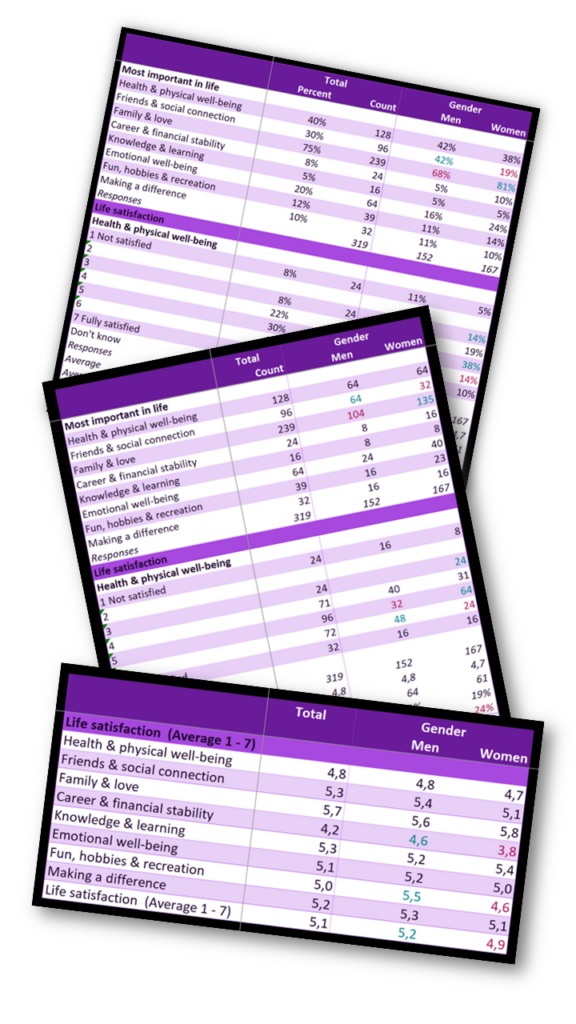
Quick insights from every survey:
Significance testing
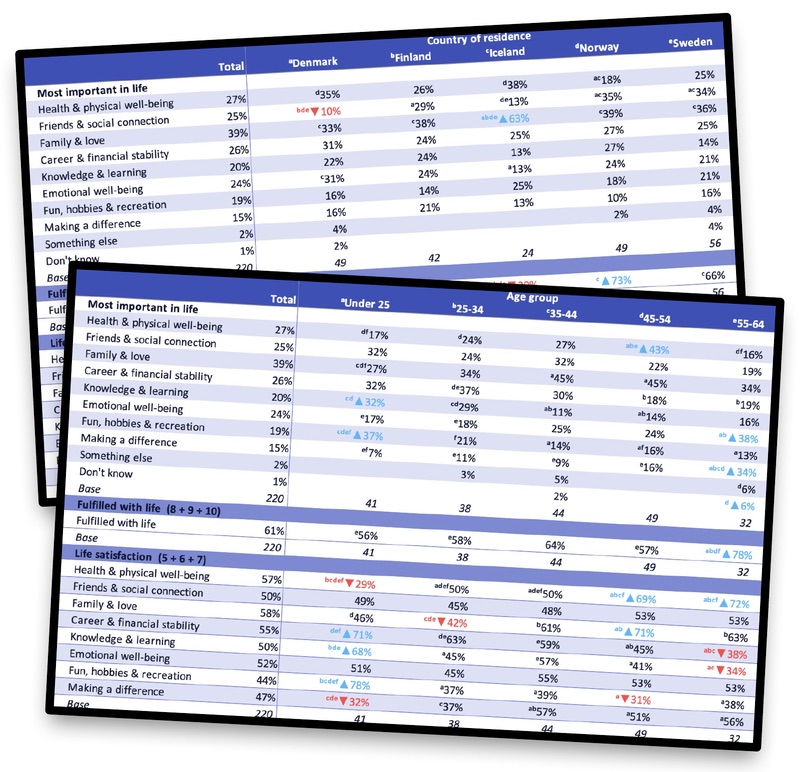
Choose exactly how strict, and how detailed, your significance testing should be:
Scale questions
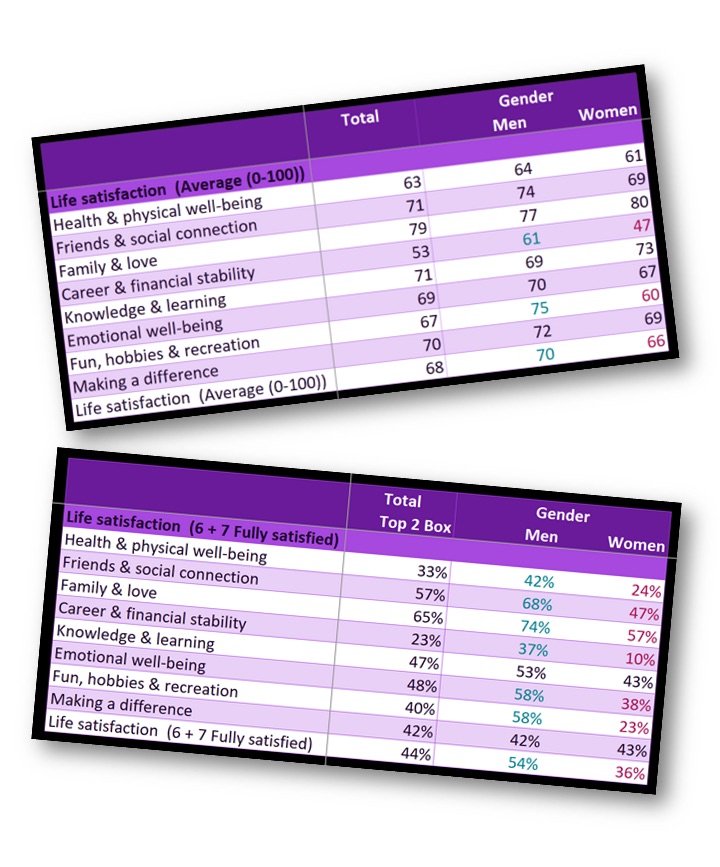
There are many ways to present Likert-scale data. Our Excel cross-tabs always give you four measures, so you can choose the one you prefer:
Try before you buy
Download a cross-tab example (Excel file) to see exactly how your tables will look.
Want a free preview from your own data set? Book a meeting and we'll set it up with you.
Cross-tabs FAQ
Cross-tabulations, commonly known as cross-tabs, analyse categorical variables – distinct categories or groups such as gender, age groups, product types or regions.
The output is a table showing the frequencies, counts, averages or other measures of observations that fall into each combination of categories, organised in rows and columns.
Cross-tabs are a powerful way to analyse differences between groups. They organise and interpret data comprehensively, revealing patterns, trends and associations.
Significance tests show whether differences between groups are statistically significant or could have occurred by chance.
Testing a sample proportion answers whether a breakdown column is significantly greater or smaller than the total (one-tailed test). Colouring cells that are significantly higher or lower than the total makes them easy to spot.
Our standard significance level is 0.05 (5%), the most commonly used level: a 5% (1 in 20) chance of rejecting the null hypothesis when it is true (a Type I error). Other common levels are 0.01 (1%), with a lower risk of Type I errors, and 0.1 (10%), with a lower risk of Type II errors.
Want to know more before you order? Book a meeting or ask a question.